
Connect Scattered Lead Work With Salesforce, Slack, and LinkedIn
See how Unboxx linked Salesforce, Slack, and LinkedIn Sales Navigator so sales teams track leads in one place.
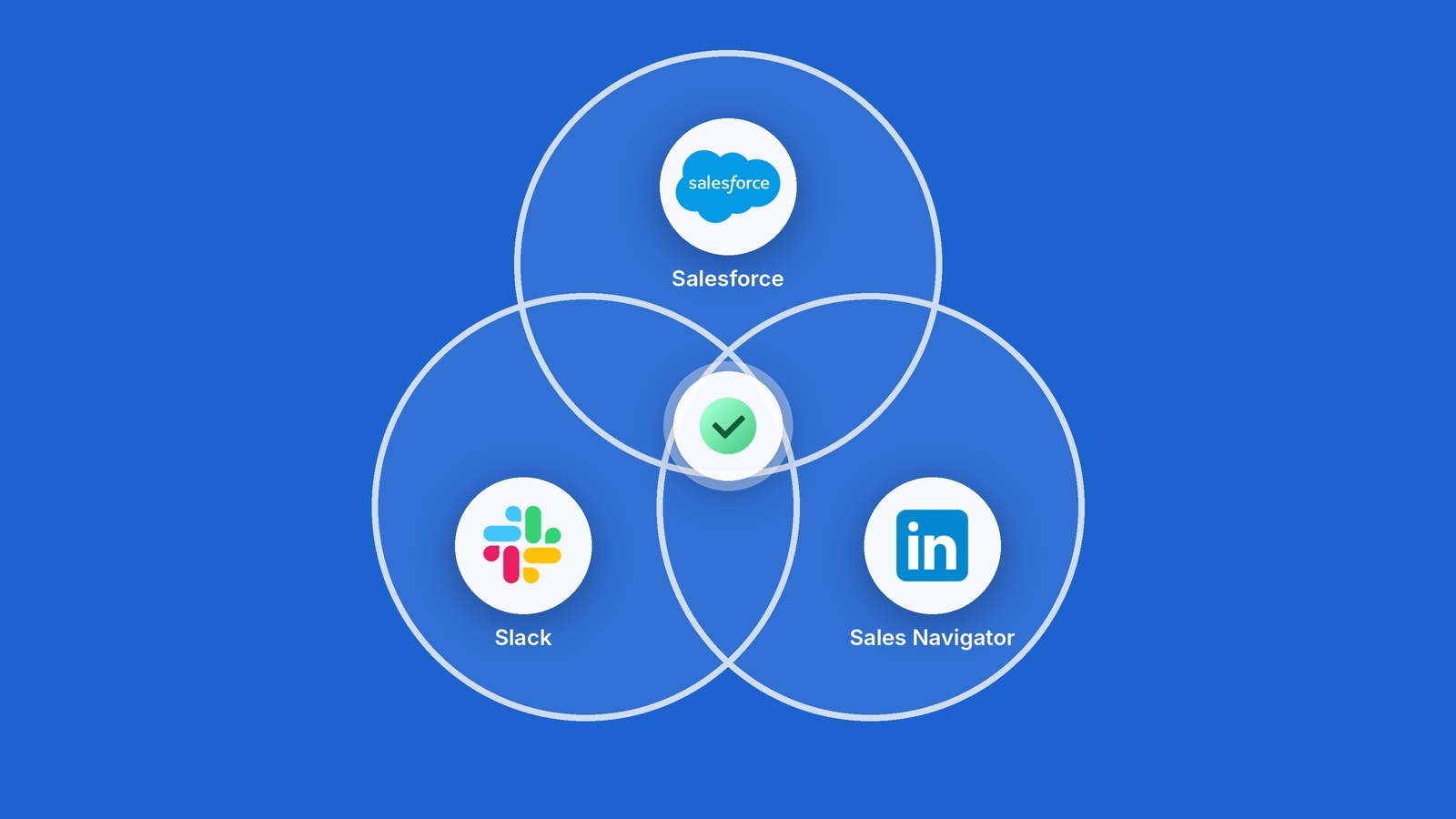
Sales Integration at a Glance
Client
A growing B2B sales organization that ran its sales work across Salesforce, Slack, and LinkedIn Sales Navigator.
Challenge
Lead updates, contact data, and sales activity were spread across three platforms with too many manual steps.
Solution
Unboxx connected the three platforms, with Salesforce as the central CRM and Slack carrying targeted sales alerts.
Outcomes
Cleaner lead management, fewer manual contact updates, faster responses to sales activity, and a setup ready to scale.
Three Sales Tools That Did Not Share a Process
The client's sales team used Salesforce for CRM records, Slack for team communication, and LinkedIn Sales Navigator for prospecting. Each tool did its job. The trouble sat in the gaps between them, where lead updates and sales activity had to be carried across by hand.
Leads and contacts out of step
Lead information needed better management across platforms, and contact syncing needed a more reliable process. Every manual update was sales work that did not need to exist.
Alerts without structure
Salesforce and Slack were not tightly integrated, so sales notifications lacked clear organization. Reps needed timely updates without extra noise.
Prospect data kept apart
LinkedIn Sales Navigator data was not well connected to CRM activity. Sales teams needed faster access to prospect information and one place to track lead activity. The client also wanted a structure that could grow with the team, not another layer of workarounds.
How Unboxx Connected the Sales Stack
Unboxx started with a review of the existing Salesforce, Slack, and LinkedIn Sales Navigator setup, tracing how leads, contacts, and sales activity moved between platforms. The aim was simple: a connected workflow with clear ownership and fewer manual steps.
Setup focus by configuration area
- Salesforce CRM: Salesforce configured as the central sales system
- Slack integration: CRM activity connected with team communication
- LinkedIn Sales Navigator: prospecting activity connected with sales workflows
- Lead management: lead tracking and follow-up organized
- Contact syncing: contact data movement improved across platforms
- Notifications: useful sales and lead alerts configured
- Activity tracking: prospect and sales activity centralized
- Workflow optimization: a clean and scalable sales process created
Reporting runs on Salesforce Reports and Dashboards. Unboxx also documented the integration setup and workflows, and shared best practice recommendations for ongoing sales operations.
Six Pieces of the Connected Sales Setup
Central Salesforce CRM
Salesforce stays the single system of record for leads, contacts, and sales activity.
Slack Sales Alerts
Targeted Slack alerts give reps timely sales updates without adding unnecessary noise.
Sales Navigator Link
LinkedIn Sales Navigator prospecting now connects directly with Salesforce sales workflows.
Reliable Contact Sync
Contact data moves between platforms through a sync process instead of manual updates.
Structured Lead Follow-Up
Lead tracking and follow-up run through one organized process with clear ownership.
Central Activity Tracking
Prospect and sales activity sits in one place, reported through Salesforce dashboards.
What the Connected Workflow Delivered
Once the three platforms worked as one setup, the gains showed up in daily effort and in visibility. The charts below show where manual work dropped and where efficiency rose.
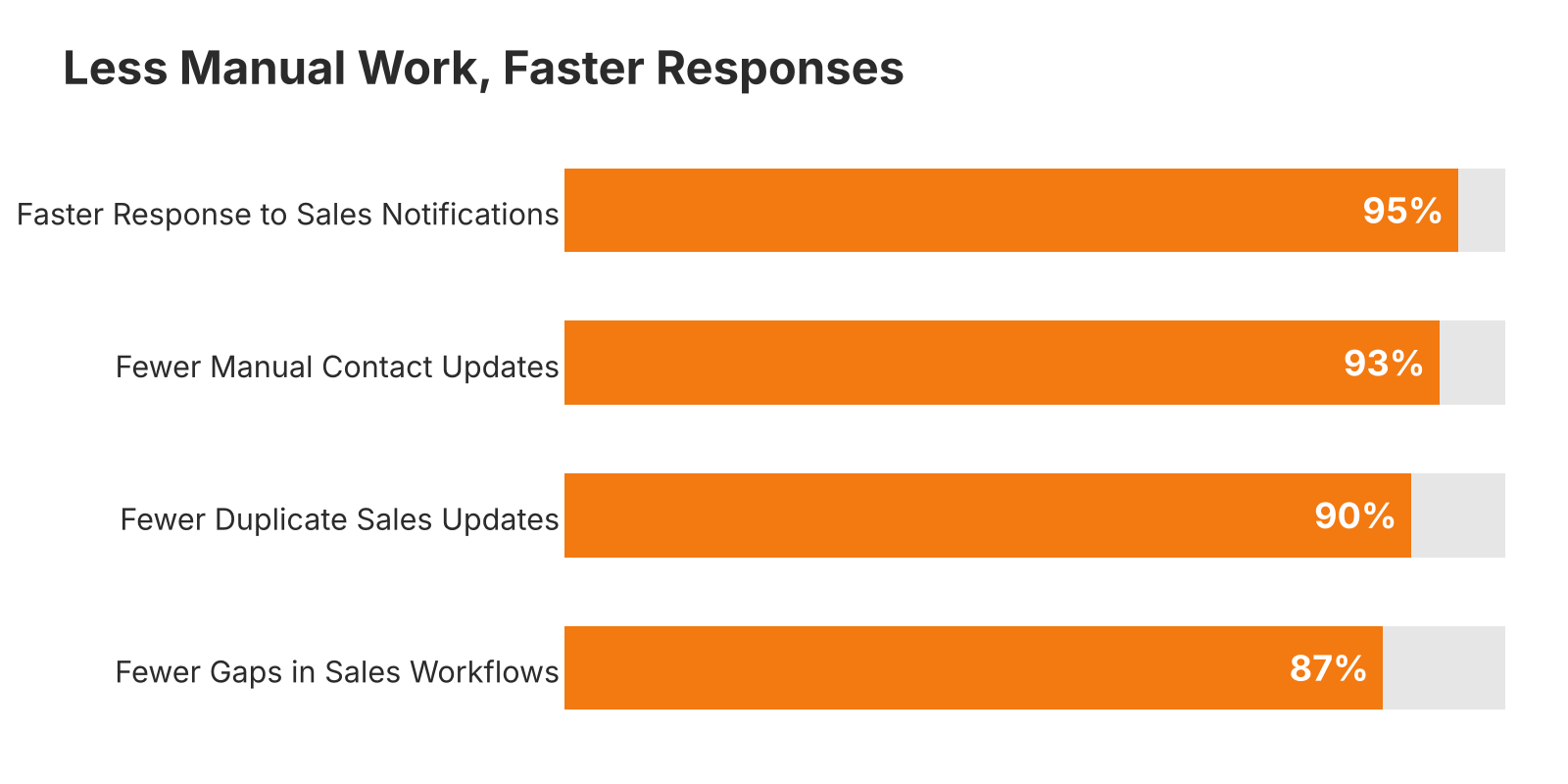
Drops in manual updates, duplicate updates, and workflow gaps, plus faster responses to Slack alerts.
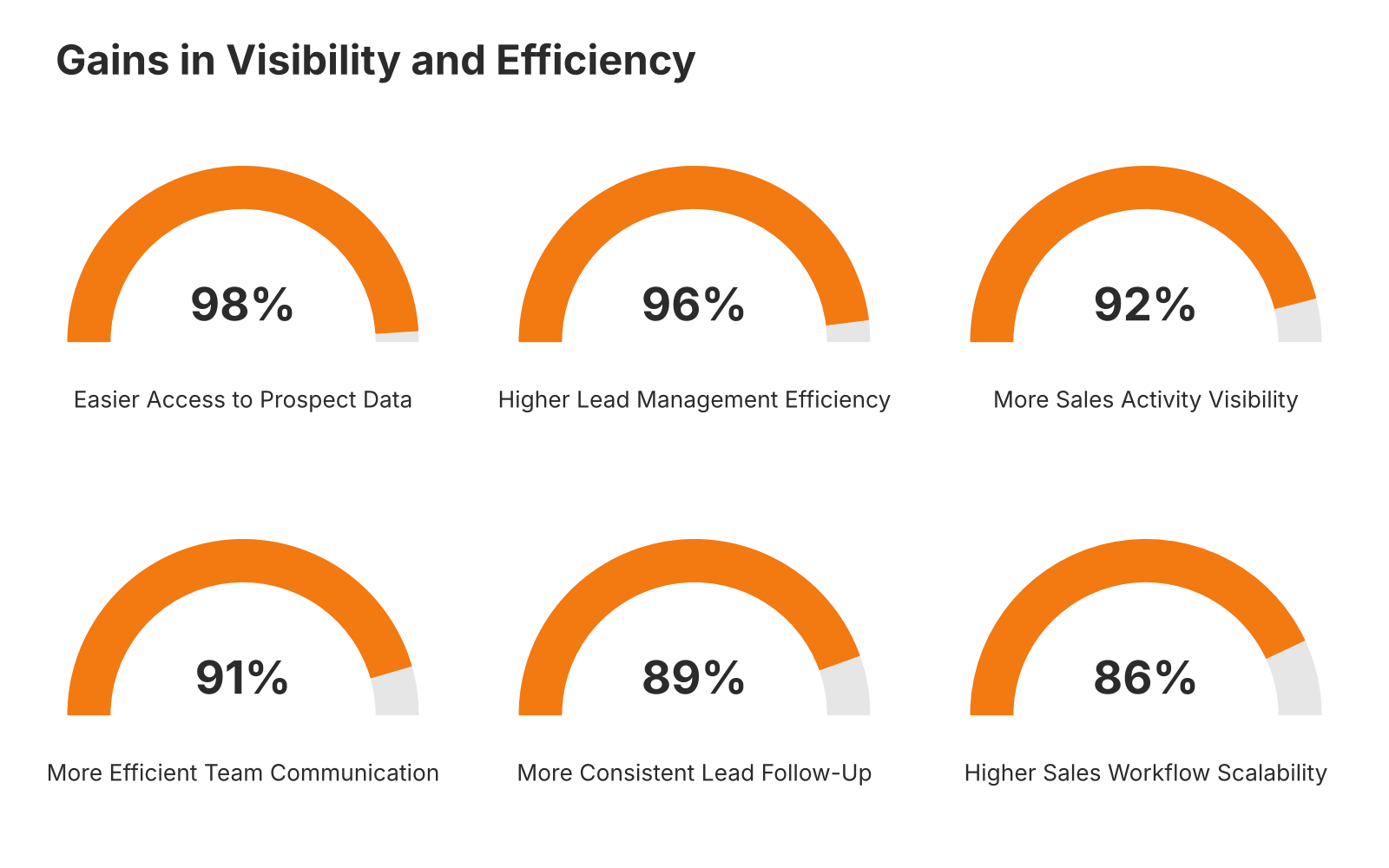
Gains in prospect data access, lead management, sales visibility, and team communication after the integration.
For the sales team, that means less time updating records and more time with prospects. It also leaves the client with a cleaner, standardized base for future sales operations.
Lessons for Teams Selling Across Several Tools
- Keep one central CRM. With Salesforce as the system of record, every other tool has a clear place to send data.
- Keep alerts targeted. Slack notifications help most when they carry useful sales and lead updates, not every change.
- Connect prospecting to the CRM. Linking Sales Navigator with Salesforce gives reps faster access to prospect information.