
A consultant finishes a CRM project, sends a final invoice and moves on. Three weeks later, a lead assignment rule stops firing. Nobody on the internal team knows which Salesforce Flow owned it. The fix takes 2 days, because the only record of the build left with the consultant.
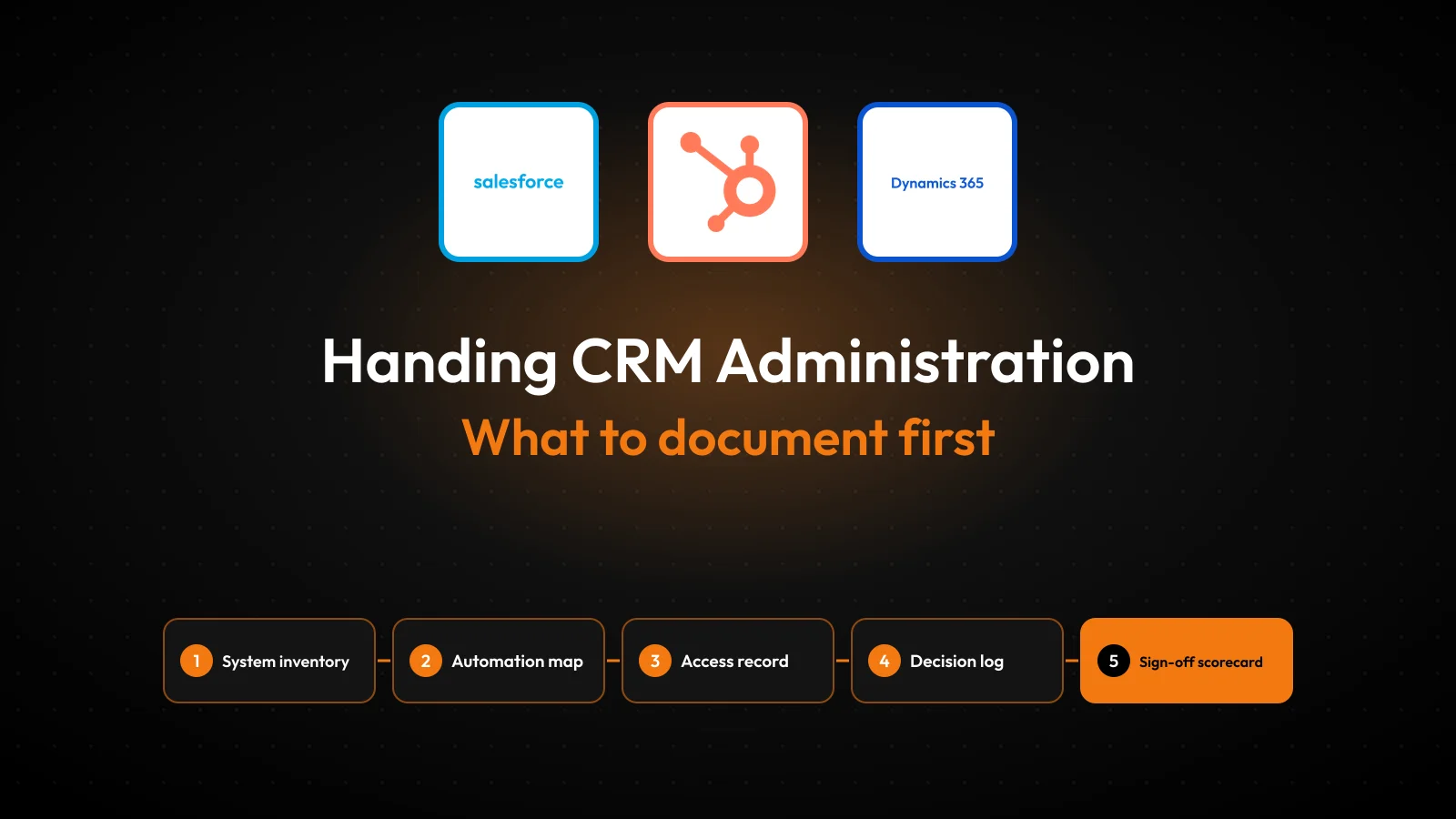
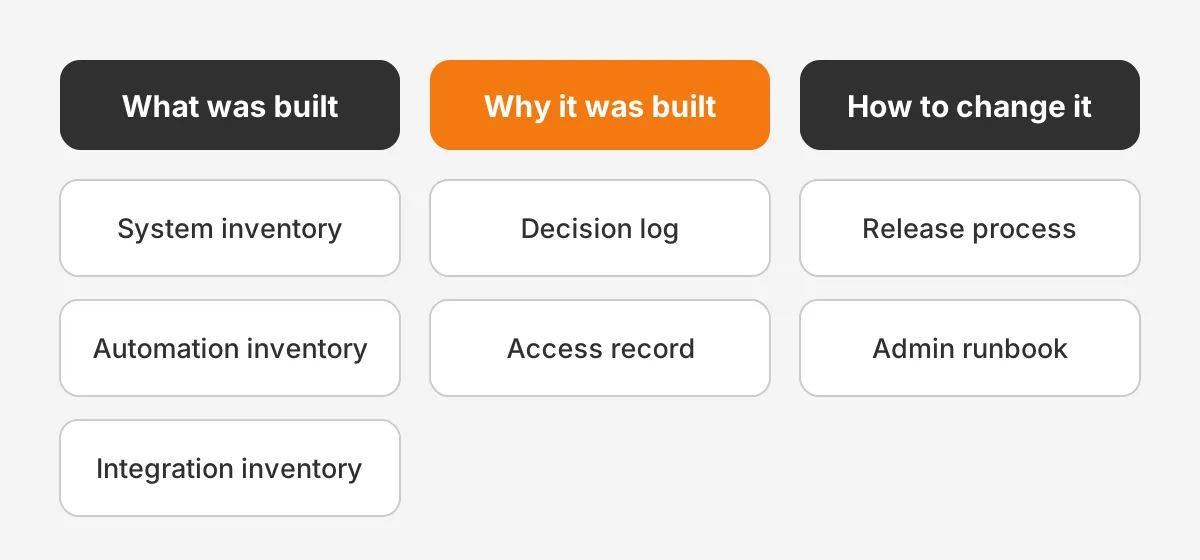
Handing CRM administration to an internal team works when the consultant leaves 7 written records behind. They start with a system inventory, an automation map and an integration register. An access record, a decision log, a release process and a runbook complete the set. Without them, risk moves, not ownership.
Writing the records takes about a week of consultant time. Handing CRM administration over, from first document to signed scorecard, takes about 4 weeks.
Key Takeaways
- Handing CRM administration over safely depends on 7 documents that describe what was built, why, and how to change it.
- Platform audit logs in Salesforce, HubSpot and Dynamics 365 keep limited history, so the handover document must fill the gap.
- Plan a 4-week handover with shadowing sessions, reverse shadowing and written sign-off criteria before the consultant exits.
What Does Handing CRM Administration Involve?
Handing CRM administration means moving daily control, change authority and system knowledge from an outside consultant to named internal staff. The transfer covers 3 layers. They are what exists in the org, why it was built that way, and how to change it safely.
Consultants usually deliver a working system and a short user guide. That guide serves end users. The internal CRM admin team needs something else. It needs system documentation written for the person who maintains the build.
The scope of CRM administration itself is wide. The guide to CRM administration tasks and cadence lists the weekly work. It includes user setup, data quality, report requests, release testing and permission changes. A handover document must equip the new owner for each of those tasks.
A practical way to set the scope is to list every request the consultant handled in the last 90 days. Each request type needs a matching section in the handover document. If the consultant handled 40 permission requests and 12 integration errors, those 2 areas need the most detail.
Who should receive the handover?
Name 3 roles before work starts. The system owner approves changes and budgets. The primary admin runs daily configuration. A backup admin covers holidays and absences. Handing CRM administration to one person alone recreates the single point of failure the consultant represented.
The system owner is often a sales operations or RevOps lead. The primary admin may be a certified Salesforce administrator or a HubSpot Super Admin. The backup admin can be a power user who completes admin training during the handover period.
Why Do CRM Handovers Fail Without Documentation?
CRM handovers fail without documentation because platform audit logs keep short histories. They record what changed, not why. The internal team inherits configuration it cannot explain, so it either freezes the system or changes it blindly.
The Salesforce SetupAuditTrail object reference sets the retention rule. The Setup Audit Trail covers Setup changes for at least the last 180 days. A consultant who built the org over 9 months can leave 3 months of changes with no audit record.
HubSpot keeps less in its default view. The HubSpot Knowledge Base article on account activity history says the HubSpot audit log views cover the last 30 days. The log records only user-based actions. Starter accounts also see fewer change types than Professional or Enterprise accounts.
Field History Tracking adds record-level detail in Salesforce, but it tracks up to 20 fields per object. It shows that a value changed. It never explains the business rule behind the field, which is the first question an internal admin asks.
The Salesforce Well-Architected guidance on intentional design calls undocumented changes an anti-pattern. It also advises building documentation time into every estimate. That advice matters most when handing CRM administration to staff who missed the build meetings.
Poor handovers also add technical debt. Admins who cannot trace an automation tend to build a new one beside it. The article on Salesforce technical debt causes and paydown shows how duplicate Flows and unused fields pile up.
What Should the CRM Handover Documentation Include?
The CRM handover documentation should include 7 records, each with a named owner and a sign-off date. Together they answer 3 questions about any component. What does it do, why does it exist, and how does the team change it?
| Document | What it holds | Signed off by |
|---|---|---|
| System inventory and data dictionary | Objects, custom fields, picklists, validation rules, page layouts, record types | Primary admin |
| Automation inventory | Every Salesforce Flow, Apex trigger, HubSpot workflow or Power Automate flow, with trigger and owner | Primary admin |
| Integration inventory | Connected systems, integration user, API credentials location, sync direction, error alerts | System owner and IT |
| Access record | Profiles, roles, permission sets, sharing rules, license count and renewal dates | System owner |
| Decision log | Design choices, options rejected and the reason for each | System owner |
| Release and change process | Sandbox strategy, change request form, release calendar, source control location | Primary admin |
| Admin runbook | Routine tasks, known errors, fixes, vendor contacts and escalation paths | Backup admin |
The system inventory starts with the data dictionary. List each custom object first. Then list each custom field with its type, its purpose and the reports or automations that read it.
A field inventory of 300 fields sounds heavy. An export from Salesforce Schema Builder or HubSpot property settings produces the base list in minutes. The consultant then adds the purpose column, which is the part only the builder can write.
Validation rules, page layouts and record types go in the same inventory. Record the error message users see next to each validation rule. Without that link, tracing a vague error back to its rule can take hours.
Reports and dashboards belong in the inventory too. Mark the 10 to 20 reports leadership reviews each week. Those reports break first when someone renames a field. The new admin should know their dependencies before handing CRM administration tasks to anyone else.
How Do You Document Automation and Integrations?
Document automation and integrations as an inventory with one row per component. Each row lists the trigger, the actions, the fields touched and the business owner. Internal teams consult this automation inventory more than any other record after handing CRM administration over.
For Salesforce, list every active Salesforce Flow, Apex trigger, assignment rule and approval process. Note the order of execution where 2 or more automations fire on the same object. Record-triggered Flows that update the same field are a frequent cause of mysterious overwrites.
For HubSpot, export the list of HubSpot workflows with their enrollment triggers and re-enrollment settings. Note which workflows send email, which update properties and which create tasks. A workflow that re-enrolls contacts without a clear rule can send the same email 4 times.
For Dynamics 365, document Power Automate flows, business rules and plugins. Name the solution each one ships in. Microsoft's Power Platform guidance on solution concepts says components inside a managed solution cannot be edited directly. Admins must know which unmanaged solution is the source of each customization.
The integration inventory needs more than a system name. For each connection, record the integration user and the authentication method. Add the sync direction and the vault location of the API credentials. Never paste credentials into the handover document itself.
Each integration also needs an error path: who receives the failure alert, and what a normal daily volume looks like. Picture an integration that syncs 2,000 orders a day and drops to 200. Without a known threshold, nobody notices until finance closes the month.
Which Security and Access Records Must Change Hands?
The access records that must change hands cover the profile and role model, permission sets and sharing rules. They also cover admin accounts, license count and renewal dates. Without them, the internal team cannot complete a user access review or answer an auditor.
Start with admin accounts. List every user with System Administrator rights in Salesforce or Super Admin rights in HubSpot. Remove or downgrade the consultant's accounts on a set date, and record that date in the handover document.
Document the permission model in plain language. Explain which permission sets grant which capabilities, and why sales managers can see records that reps cannot. A diagram of the role hierarchy saves hours of guesswork during the first user access review.
Record license count by type and the contract renewal dates. Internal teams sometimes discover a renewal 30 days out, with no time to remove inactive users. The access record should name who approves new licenses. It should also explain how to deactivate a leaver within one business day.
Include data protection settings. Note field-level security on sensitive fields and the backup and restore tool in use. Record the date of the last successful restore test. A backup that nobody has restored is an assumption, not a recovery plan.
What Belongs in the CRM Decision Log?
The CRM decision log holds every design choice that would be hard to reverse. Each entry names the options rejected and the reason for the final choice. The log stops the internal team from reopening settled debates or undoing a deliberate trade-off.
Microsoft's Well-Architected guidance on the architecture decision record describes a useful format. Each entry holds a problem statement, the options considered and the outcome with its trade-offs. It also carries a status such as Accepted or Superseded.
The same guidance treats the log as append-only. A changed decision gets a new entry that links to the old one. That rule keeps the history intact after handing CRM administration to new owners, who may revisit choices years later.
Typical CRM entries cover data model choices. Why are partners stored as accounts rather than a custom object? Why does the org use one opportunity record type instead of 4? Why was a managed package rejected in favour of custom code?
The decision log also records the consultant's reasoning on CRM governance. Suppose sales leadership asked for a field that the consultant pushed back on. The entry explains the risk. Months after handing CRM administration over, that entry gives the internal admin a documented reason to decline.
Keep the decision log next to the rest of the CRM documentation. A shared wiki page, a Confluence space or a company drive folder all work. The test is simple: every admin should find it in under a minute.
Which Routine Tasks Belong in the Admin Runbook?
The admin runbook should hold every weekly or monthly task, written as numbered steps with screenshots. It turns knowledge transfer into a reference the backup admin can follow alone during handing CRM administration and after it.
Start with the 10 tasks that appear most in the consultant's ticket history. For a typical B2B org, that list covers 6 areas:
- Creating and deactivating users, with the correct profile and permission sets.
- Adding picklist values and updating dependent picklists.
- Editing reports and dashboards without breaking filters.
- Running the monthly data quality check for duplicates and blank required fields.
- Reviewing integration error logs and replaying failed records.
- Exporting the Setup Audit Trail or HubSpot audit log for the monthly review.
Each runbook entry needs a trigger, the steps, the expected result and the rollback. A rollback step matters most for data changes. A mass update that goes wrong needs a recorded way back, such as a pre-change export.
A known errors section lists each error message the consultant has seen, with its cause and its fix. Vendor contacts and escalation paths close the runbook. Include the CRM vendor's support plan level, the integration vendor contacts and the internal IT owner.
Plan to review the runbook every quarter, long after handing CRM administration ends. A runbook written once goes stale after the first 2 releases. The primary admin should own updates, and the system owner should check them at each quarterly CRM governance meeting.
Which Mistakes Derail Handing CRM Administration?
Four mistakes derail handing CRM administration: a late start, a single owner, missing reasons and an open-ended exit date. Each one is cheap to prevent during the project and expensive to repair after the consultant leaves.
A late start leaves no time for the other fixes. Some teams begin handing CRM administration in the final week of the contract. Documentation written in a rush covers what was built but skips why, so the decision log stays empty.
A single owner creates a new dependency. When the one trained admin resigns, the company is back where it started. Handing CRM administration to a primary admin and a backup admin spreads the knowledge across 2 people.
Missing reasons show up as fields nobody dares to delete. The fix is a purpose column in the data dictionary. Every non-obvious choice also gets an entry in the decision log. Both are written by the consultant, not reconstructed later by the internal team.
An open-ended exit date keeps the consultant in the loop indefinitely. Set a fixed date for removing consultant access and a fixed end to hypercare. A clear end date gives handing CRM administration a finish line. It keeps both sides focused on the sign-off criteria.
How Do You Plan the CRM Admin Handover Timeline?
Plan the CRM admin handover across 4 weeks, moving from consultant-led work to internal-led work. The consultant stays on call through the final week. A shorter window leaves no room for mistakes while help is still available.

- Week 1: the consultant completes the 7 documents and runs 60-minute knowledge transfer sessions on each one.
- Week 2: shadowing sessions, where internal admins watch the consultant handle live requests and releases.
- Week 3: reverse shadowing, where internal admins handle requests while the consultant reviews each change.
- Week 4: the internal team runs the system alone, and the consultant answers questions within an agreed time.
Hand over release and change control during week 2. Document the sandbox strategy, the change request form and the release calendar. Explain how the team tests each of the 3 yearly Salesforce releases. For HubSpot, explain how feature changes are reviewed before users see them.
Point the team to source control if the consultant used it. Some orgs move metadata with change sets, and others use Salesforce DevOps Center. The handover should name one tool as the source of truth. Otherwise handing CRM administration over can split the build history across 2 tools.
Agree a hypercare period after week 4. A 30-day window is a reasonable default for a mid-sized org. Define what counts as a hypercare request and what counts as new work. That boundary prevents billing disputes later.
How Do You Know the Internal Team Is Ready?
The internal team is ready when it completes 5 routine tasks and 2 incident drills without help. The system owner then signs the written sign-off criteria. Readiness is a test result, not a calendar date.
Write the sign-off criteria before week 1. Typical routine tasks start with creating a user with the right permission sets and adding a picklist value. They continue with editing a report, deploying a small change from sandbox and restoring a deleted record.

The 2 incident drills test diagnosis rather than routine. In the first, the consultant disables an integration in a sandbox. The team must find and fix it using the runbook. In the second, a Flow fails on save, and the team traces it through the automation inventory.
Each task scores pass or retry. A retry exposes a gap in the admin runbook or the admin training. The consultant fixes the document before sign-off, so the scorecard also checks the handover documentation itself.
The last document is an open issues list. It records known bugs, deferred requests and planned work, each with a priority. The internal team should accept that list in writing. Unclear ownership of open issues causes friction after handing CRM administration over.
Some companies decide mid-handover that a full internal team is not realistic. A blended model with an outside partner then works better. The comparison of Salesforce managed services and in-house admins sets out the cost trade-offs. The outsourced Salesforce administration page covers ongoing support.
Frequently Asked Questions
How long should handing CRM administration take?
Handing CRM administration takes about 4 weeks for a mid-sized org with 50 to 200 users. Add 1 to 2 weeks when the build includes 5 or more integrations or custom Apex code. A handover shorter than 2 weeks rarely leaves time for reverse shadowing and incident drills.
Who should write the CRM handover document?
The consultant who built the system writes the CRM handover document. Only that person knows the reasons behind each design choice. The internal primary admin reviews every section and flags gaps. The system owner approves the final version before any consultant access is removed from the org.
What is a CRM knowledge transfer session?
A CRM knowledge transfer session is a recorded meeting about one area of the build, such as automation or security. Each session lasts about 60 minutes and ends with a short exercise. Recording sessions gives future admins a reference beyond the written documentation and the runbook.
Should the consultant keep access after the handover?
The consultant should keep read-only or no access after the handover, unless a hypercare agreement says otherwise. Remove admin rights on a set date and record it in the access record. A dormant admin account creates a security risk and blurs accountability for every later change.
What happens if the internal team fails sign-off?
If the team fails sign-off, the consultant fixes the documentation gaps. The team then repeats the failed tasks within a week. Extend hypercare to cover the delay. Repeated failures usually point to an understaffed team, which suggests a blended support model rather than a longer handover.
Is Your Team Ready for Handing CRM Administration Over?
Handing CRM administration over succeeds when the 7 documents exist and the team passes its scorecard. The system owner then signs off in writing. Unboxx helps teams plan this handover, and the dedicated Salesforce administration success story shows ongoing support in practice.
For a handover plan or a review of documents a previous partner left, see the Unboxx CRM consulting services. To plan handing CRM administration in your org, schedule a consultation with the team.
Let's create something out of this world together.
Have a project in mind? Contact us for expert design and development solutions. Let's discuss how we can help grow your business.
Ready to Unboxx Your Potential?
Build smarter systems. Automate faster. Scale confidently.