
A CRM quote rarely matches the final bill. The license price is easy to find. The CRM implementation cost also covers setup, data migration, integrations and the hours your own staff spend. Those lines are where budgets slip.
The spread is wide. A ZoomInfo analysis (2026) put the average CRM implementation cost at about $3,000 for firms under 100 employees. For firms over 1,000 employees, it was $174,000. Below, that range is split into lines you can price for your own project.
Key Takeaways
- Licenses are only one line, because setup, migration, integrations and training usually decide the final CRM implementation cost.
- Company size, data quality and the number of connected systems move the budget more than the platform you choose.
- A line-by-line estimate with a 10 to 20 percent contingency gives finance a number it can approve.
What Does a CRM Implementation Cost Include?
A CRM implementation cost includes every expense needed to get a working system into daily use. That means software, outside services and your own team's time. A clear CRM cost breakdown separates those into lines that each have an owner and a price.
Most projects share the same six lines:
- Software licenses, billed per user per month.
- Setup, covering configuration of fields, stages, permissions and reports.
- Customization, covering code, custom objects and advanced automation.
- Data migration, covering cleanup, mapping and loading old records.
- Integrations with email, ERP, billing and marketing tools.
- Training and change management, so people adopt the system.
The cost of implementing a CRM is the sum of one-time lines and recurring lines. Licenses recur every year. Setup, migration and the first round of training are mostly one-time. Splitting them matters because finance treats them differently in a budget.
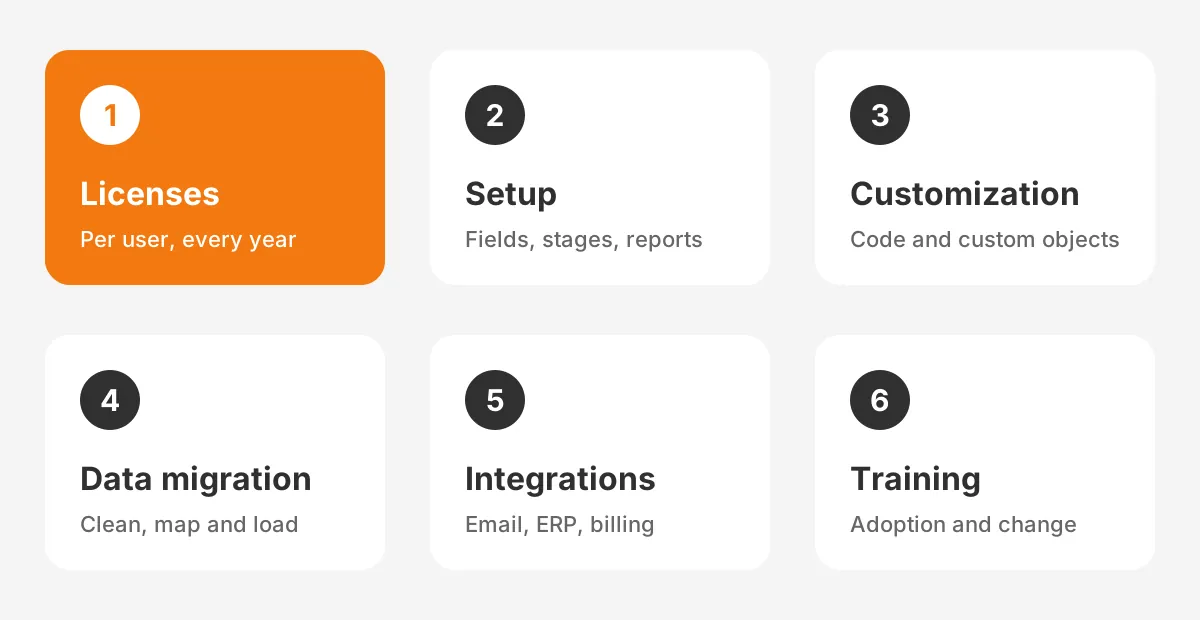
CRM implementation costs also depend on who does the work. A team with an in-house CRM administrator can absorb some setup. A team with no CRM experience will pay a partner for most lines. Both paths have a price, so count internal hours as cost too.
How Much Does CRM Implementation Cost by Company Size?
CRM implementation cost scales with company size because larger firms have more users, more data and more systems to connect. The ZoomInfo figures show the jump clearly.
| Company size | Average implementation cost (ZoomInfo, 2026) | What usually drives it |
|---|---|---|
| Under 100 employees | About $3,000 | Standard setup, small data set, few integrations |
| Over 1,000 employees | About $174,000 | Custom objects, ERP links, phased rollout |
| Over 10,000 employees | About $450,000 | Separate business units, complex security, large migrations |
The same ZoomInfo analysis estimated that companies would roll out more than 42,000 new CRM systems in a year. It put total spending on those projects at about $4.6 billion. ZoomInfo did not publish its method on that page, so treat the figures as a guide.
The average cost of CRM implementation hides a wide range inside each band. Two firms of 200 people can see a CRM implementation cost that differs by a factor of five. The cause is usually data quality and integration count, not headcount.
A CRM implementation cost for small business stays low when the team accepts standard features. The cost to implement CRM rises once a small firm asks for custom quoting or ERP sync. A migration from spreadsheets full of duplicates adds more.
The implementation timeline also tracks size. A small team can go live in weeks. A large firm often phases the work over three or more quarters. Each phase adds partner fees and internal time. A longer project raises the CRM deployment cost even when the scope looks similar.
What Do CRM Licenses Cost on Each Platform?
CRM licenses cost from about $9 to $150 or more per user per month on the main platforms. The CRM license cost is the most visible line in any CRM implementation cost, and it recurs every year. The table compares published list prices.
| Platform and plan | List price per user per month | One-time fee or terms |
|---|---|---|
| HubSpot Sales Hub Starter | $9 annual, $15 monthly | No onboarding fee |
| HubSpot Sales Hub Professional | $90 annual, $100 monthly | $1,500 onboarding fee |
| HubSpot Sales Hub Enterprise | $150 | $3,500 onboarding fee |
| Salesforce Starter Suite | $25 | Billed monthly or annually |
| Salesforce Pro Suite | $100 | Billed annually, contract required |
| Dynamics 365 Sales Enterprise | $105 | Price in effect since 1 October 2024 |
| Dynamics 365 Sales Premium | $150 | Price in effect since 1 October 2024 |
Sources: HubSpot Sales Hub pricing (2026), Salesforce small business pricing (2026) and Microsoft Dynamics 365 pricing update (2024).
Working out how much a CRM costs per month is simple arithmetic: multiply the per-user price by your user count. Twenty users on Sales Hub Professional with annual billing cost $1,800 a month. The CRM subscription cost then repeats for every year of the contract.
License tiers matter more than the entry price. Advanced automation, custom objects and forecasting often sit in higher tiers. A plan that looks cheap can force an upgrade once the requirements list is final. Check every must-have feature against the tier before you sign an annual contract.
Onboarding fees are a separate line. The HubSpot CRM onboarding fee is $1,500 for Professional and $3,500 for Enterprise. That fee covers vendor-led setup sessions, not a full partner project. Salesforce Enterprise and Unlimited editions are quoted through sales, so confirm those figures in writing.
CRM implementation pricing also differs by platform. A HubSpot implementation cost is often lower because the standard setup covers more out of the box. A Salesforce implementation cost tends to run higher because Sales Cloud is built to be configured.
A Dynamics 365 implementation cost often depends on links to Microsoft 365 and Dynamics finance apps. An Odoo implementation cost depends on the number of Odoo apps you switch on. In Odoo, CRM shares one database with sales, inventory and accounting.
Add-ons such as Agentforce agents on Salesforce are priced separately again, so list them as their own line.
CRM software cost is therefore only the opening line. The services around it make up most of the year-one total, as the worked example further down shows.
What Drives Configuration and Customization Costs?
Configuration and customization costs are driven by how far your processes differ from the platform's standard setup. Configuration uses built-in tools: fields, page layouts, pipelines, permissions and reports. Customization adds code, custom objects and complex automation.
The CRM setup cost covers configuration. It is usually the cheaper of the two, because an admin can make and reverse changes quickly. The CRM configuration cost grows with the number of record types, sales processes and user roles.
The CRM customization cost grows faster. Custom code needs a developer, test scripts and ongoing maintenance after go-live. Every custom element also has to survive future platform releases. Ask whether a requirement can be met with standard features before paying for code.
Most partners start with a discovery phase. In discovery, a consultant documents processes, data and integrations, then writes a statement of work. The statement of work lists deliverables, hours and acceptance criteria. A vague statement of work is the most common reason a CRM consultant cost overruns.
The pricing model affects risk. In the fixed price vs time and materials choice, each model shifts risk differently:
- Fixed price: the partner carries overrun risk, so the quote includes a buffer.
- Time and materials: you pay for hours used, so scope control sits with you.
- Hybrid: discovery runs on time and materials, then the build runs at a fixed price.
Testing belongs in this line too. Partners build in a sandbox, then run user acceptance testing with your team. Budget your staff's time for user acceptance testing, because a sales manager who tests for two days is not selling.
A good CRM implementation partner will push back on customization that standard features can handle. Unboxx's CRM consulting and implementation services start from that standard-first rule to keep the CRM implementation cost predictable.
How Much Should You Budget for Data Migration?
Data migration usually takes a meaningful share of the budget. The amount depends on volume, sources and data quality.
On an older database, migration can become the largest line in the CRM implementation cost. The CRM data migration cost rises with every extra source system and every year of uncleaned records.
Migration has four steps, and each one needs hours:
- Audit the source data for gaps, duplicates and outdated records.
- Map old fields to new fields and agree on picklist values.
- Run test loads in a sandbox and check record counts.
- Run the final load, then reconcile totals with the old system.
Data cleansing is the step teams underestimate. Duplicate records, missing emails and inconsistent company names all need rules before loading. Cleaning before migration costs less than fixing bad data inside a live system. Our CRM data cleansing runbook shows how to scope that work.
History is the other driver. Moving five years of emails, activities and attachments costs more than moving open deals and active accounts. Decide what history users need on day one. Archive the rest in a cheaper store that people can still search.
Platform switches add mapping work. A move between Salesforce and HubSpot, for example, means translating objects that do not match one to one. The Salesforce data migration guide covers the checks that keep record counts accurate.
A migration line in a CRM implementation cost estimate should list record counts per object. Without counts, a partner can only guess, and a guess usually turns into a change request later.
What Do Integrations Add to the Budget?
Integrations add cost for every system the CRM must exchange data with, and the price depends on the connection method. The CRM integration cost is lowest for native connectors and highest for custom API work.
There are three common methods:
- Native connectors, such as email and calendar sync, which need setup but little build time.
- Middleware tools, such as Zapier or MuleSoft, which add a subscription and some configuration.
- Custom API integration, which needs a developer, error handling and monitoring.
ERP integration is usually the largest single integration. A CRM and an ERP system often sync customers, products, prices, orders and invoices. That sync needs rules for which system owns each field. Those rules take workshops before any build begins.
Middleware lowers build effort but adds a recurring fee to the CRM implementation cost. A custom API connection has no tool fee but needs a developer when either system changes. Count both the build and the yearly upkeep when you compare options.
Every integration needs a test run with real data, and that testing is part of the CRM implementation cost. A sync that duplicates invoices or overwrites prices can cost more to fix than to build. Budget one test cycle per integration at minimum.
Keep day-one integrations to the ones users need for daily work. Email, calendar and the ERP order link usually qualify. Reporting feeds and secondary tools can wait for a later phase.
What Are the Hidden Costs of Implementing a CRM?
The hidden costs of CRM are mostly internal: staff time, lost productivity during the switch, training and ongoing administration. They rarely appear in a vendor quote, yet they shape the CRM total cost of ownership.
Internal staff time comes first. Sales leaders join discovery, managers test, and operations staff clean data. Those hours have a real price even if no invoice arrives. Put a loaded hourly rate on them and count them.
Productivity drops during the first weeks after go-live. Reps learn new screens and rebuild habits. Plan the launch away from quarter-end so the dip does not hit the most important selling weeks.
The CRM training cost covers trainer time, materials and the hours each user spends learning. Role-based sessions cost more to prepare but shorten the learning curve. Short refreshers after go-live help user adoption more than one long session before it.

Change management needs its own line. Someone has to explain why the CRM matters, set usage rules and track adoption. Without that work, the CRM rollout cost buys a system that sales staff avoid.
Ongoing administration is the largest recurring hidden cost. A CRM administrator handles new users, fixes, reports and small changes.
Building that skill in-house adds to the CRM implementation cost every year. The US Bureau of Labor Statistics reported a median software developer wage of $135,980 in May 2025. That gives a sense of what technical CRM skills cost on payroll.
Go-live support also needs a line. Plan two to four weeks of extra support hours after launch, when questions and small fixes peak. Include those hours in the CRM implementation cost from the start, not as a surprise later.
How Do You Estimate CRM Implementation Cost?
You estimate CRM implementation cost by pricing each line separately, adding internal hours, then adding a contingency. This is how to calculate CRM cost in a way finance can check.
- List users by role and pick the license tier each role needs.
- Write the CRM requirements and mark each as standard or custom.
- Count records per object and the source systems for migration.
- List every integration and its connection method.
- Price training, internal hours and a 10 to 20 percent contingency.
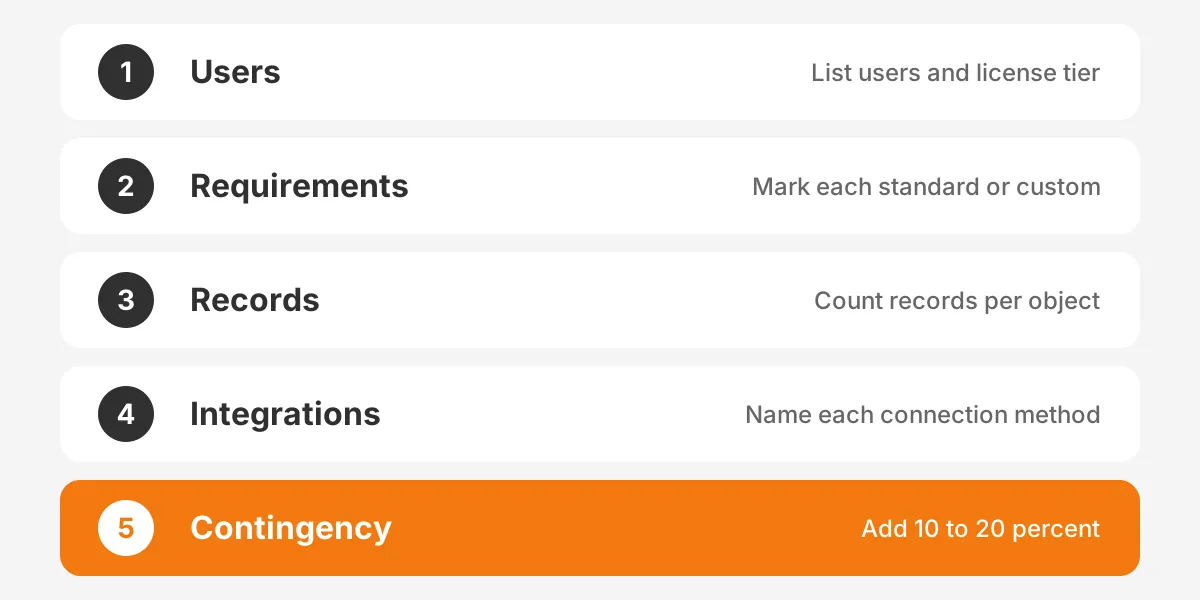
The table below is a worked example with assumed figures. Only the HubSpot license and onboarding prices come from the published price list. Every other figure is an assumption for illustration, not a market rate.
| Line | Example basis | Example cost |
|---|---|---|
| Licenses, year one | 25 users on Sales Hub Professional, annual billing, $90 each per month | $27,000 |
| Onboarding fee | HubSpot Professional one-time fee | $1,500 |
| Configuration | Assumed 120 partner hours at an assumed $150 per hour | $18,000 |
| Data migration | Assumed 60 partner hours at the same assumed rate | $9,000 |
| One ERP integration | Assumed middleware build | $6,000 |
| Training time | 25 users, 6 hours each, assumed $60 loaded hourly cost | $9,000 |
| Contingency | 15 percent of the $34,500 in one-time services | $5,175 |
| Year-one total | Sum of all lines | $75,675 |
In this example, licenses are about 36 percent of year one. Services and internal time make up the rest. The CRM implementation cost per user works out to about $3,027 in year one.
Your CRM implementation budget should show the same split. It helps finance see which lines recur and which end at go-live. The CRM implementation cost estimate also becomes the baseline for tracking change requests.
The estimate should sit inside a wider CRM implementation plan with phases and owners. Our guide to the CRM implementation plan shows how to sequence the work so each phase has its own budget.
A contingency budget pays for gaps that discovery finds, such as a forgotten integration or messier data than expected. Release it only through a documented change request.
How Can You Reduce CRM Implementation Cost Safely?
You can reduce CRM implementation cost safely by narrowing scope, cleaning data early and using standard features before custom code. Cutting testing or training saves money at first but raises the CRM implementation cost later.
These steps reduce CRM costs without hurting the result:
- Rank CRM requirements as must-have, should-have or later, and build only must-haves in phase one.
- Clean and deduplicate data before migration, not after.
- Choose the lowest license tier that covers every must-have feature.
- Use native connectors or middleware before custom APIs.
- Train internal champions who support their own teams after go-live.
- Phase the rollout by team, so lessons from the first group cut costs for the next.
Requirements discipline protects the budget. Every requirement added after the statement of work becomes a change request and raises the CRM implementation cost. Our article on how to gather and rank CRM requirements shows a scoring method that keeps the list short.
Some savings are false economies that raise the CRM implementation cost over time. Skipping user acceptance testing leads to defects in production. Skipping training leads to low adoption, which wastes the license spend.
Ongoing support can also be bought rather than hired. Managed services from a partner cover admin work for a monthly fee. For a mid-sized team, that option can cost less than a full-time hire.
Scoping before the build also avoids paying twice for the same work. Unboxx's CRM implementation services scope each line before the build starts. That way, the CRM implementation cost agreed at the start is the one you pay.
Frequently Asked Questions
How much should a business budget for a CRM?
A business should budget for licenses plus services, then add a contingency. The ZoomInfo average is about $3,000 for firms under 100 employees, and much more for larger firms. How much should a firm budget for a CRM? Price each line, including staff time, before choosing a total.
How long does CRM implementation take?
A standard CRM implementation for a small team can take four to six weeks. A mid-sized rollout with migration and an ERP link often takes two to four months. Large programs run in phases. Longer timelines raise the CRM implementation cost through extra partner and internal hours.
Is a CRM worth the cost?
A CRM is worth the cost when the team uses it daily and the data stays clean. Measure CRM ROI through win rate, sales cycle length and forecast accuracy against a baseline. Low adoption is a common reason a CRM fails to repay its license and services spend.
Which costs are recurring after go-live?
Licenses are the main recurring cost, billed per user each month or year. Middleware subscriptions, administration and new-user training also recur. Plan a yearly budget for small improvements too. Most teams request changes once they use the system, and those changes need admin or partner hours.
Can you implement a CRM without a partner?
A small team with simple processes can implement a CRM without a partner using vendor onboarding and standard setup. Internal time still costs money. Larger projects with migration, integrations or custom objects usually need a partner. Mistakes in those areas are expensive to reverse.
What Is the Next Step on CRM Implementation Cost?
The next step is to turn your requirements, user count and data volume into a line-by-line estimate. That estimate gives you a realistic CRM implementation cost and a baseline for every later decision.
Unboxx helps B2B teams price and deliver Salesforce, HubSpot, Dynamics 365 and Odoo projects with a clear scope. Schedule a consultation to review your CRM implementation cost before you sign a contract.
Let's create something out of this world together.
Have a project in mind? Contact us for expert design and development solutions. Let's discuss how we can help grow your business.
Ready to Unboxx Your Potential?
Build smarter systems. Automate faster. Scale confidently.