
Integrations Within Salesforce: Setup and Management
Ask a marketing operations director at a B2B manufacturer who built the webinar sync. The answer is often a shrug. The form tool, the webinar platform, the ERP and marketing automation all hold customer data. Each one feeds Salesforce through a connection someone built years ago.
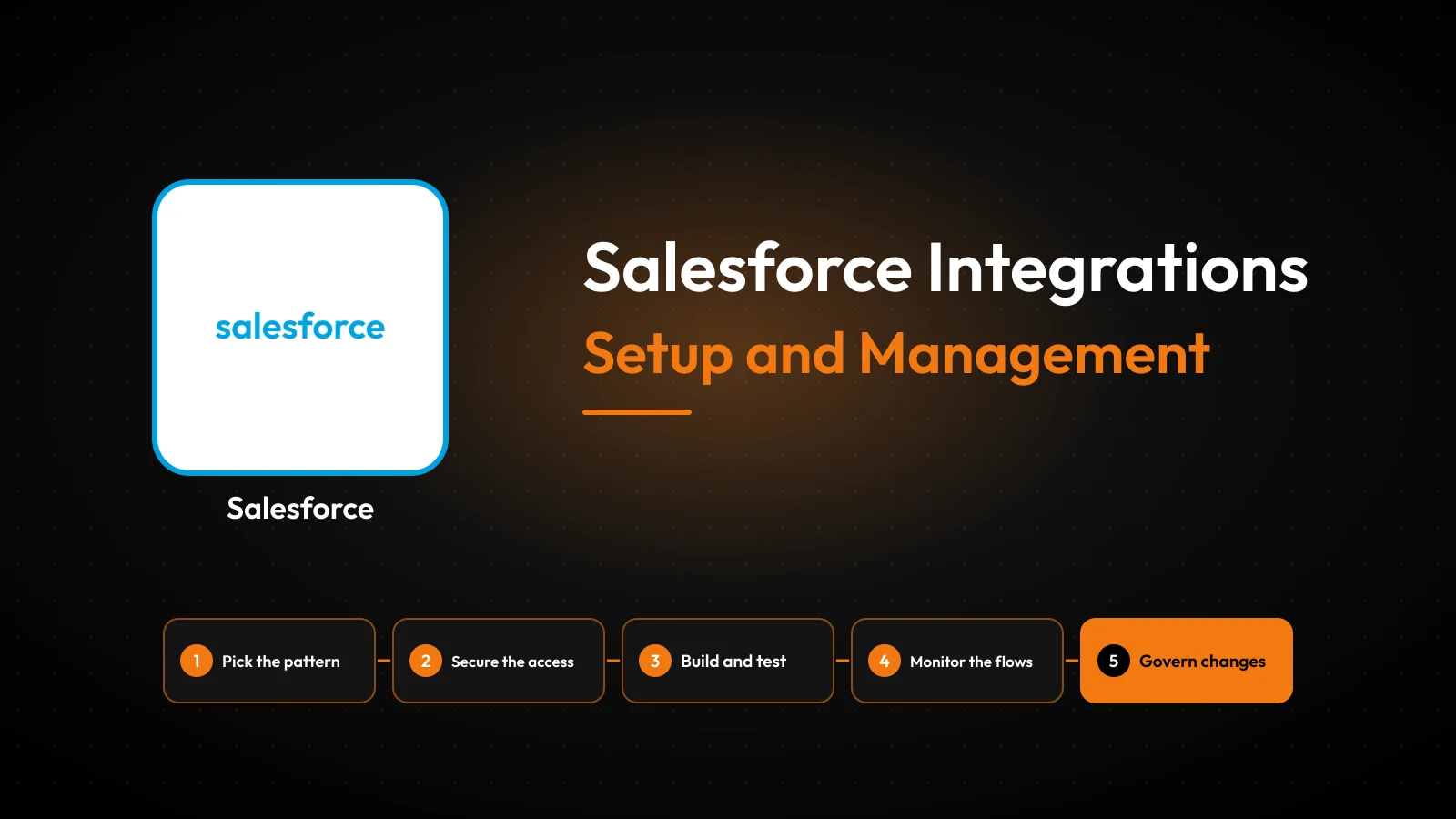
Integrations within Salesforce follow one repeatable process: choose the pattern, secure the access, build, test, monitor and govern. Most companies are far from that. The MuleSoft Connectivity Report 2025 found that enterprises run 897 applications on average, and only 29% of them are connected.
Key Takeaways
- Integrations within Salesforce work best with a named owner, a written data map and a dedicated integration user.
- Since Spring '26, new inbound connections should use External Client Apps, with Named Credentials for outbound callouts.
- Monitoring API usage, error logs and the Setup Audit Trail every month keeps integrations within Salesforce from failing quietly.
What Are Integrations Within Salesforce?
Integrations within Salesforce are automated connections that move records or trigger actions between Salesforce and another system. Examples include a web form creating a lead and an ERP posting order history to an account. A marketing platform syncing campaign responses is another.
All integrations within Salesforce share four parts. Two are obvious: the source system and the target system. The third is the method, such as the Salesforce REST API or a prebuilt connector. Then comes identity, meaning the user and app the connection runs as.
The last part is the data map. It states which fields move, in which direction, and which system is the system of record for each one. Most broken integrations within Salesforce fail on this fourth part, not on the code.
Marketing operations teams tend to own the same list. It covers marketing automation, webinar and event tools, enrichment services, the website, advertising platforms and the ERP. Each one is a separate app integration with its own owner, schedule and failure modes.
The task is to connect Salesforce to other systems in a way a team can explain two years later. Integrations within Salesforce that nobody can explain are the ones nobody dares to change. The process below is built to prevent that.
Which Integration Patterns Does Salesforce Support?
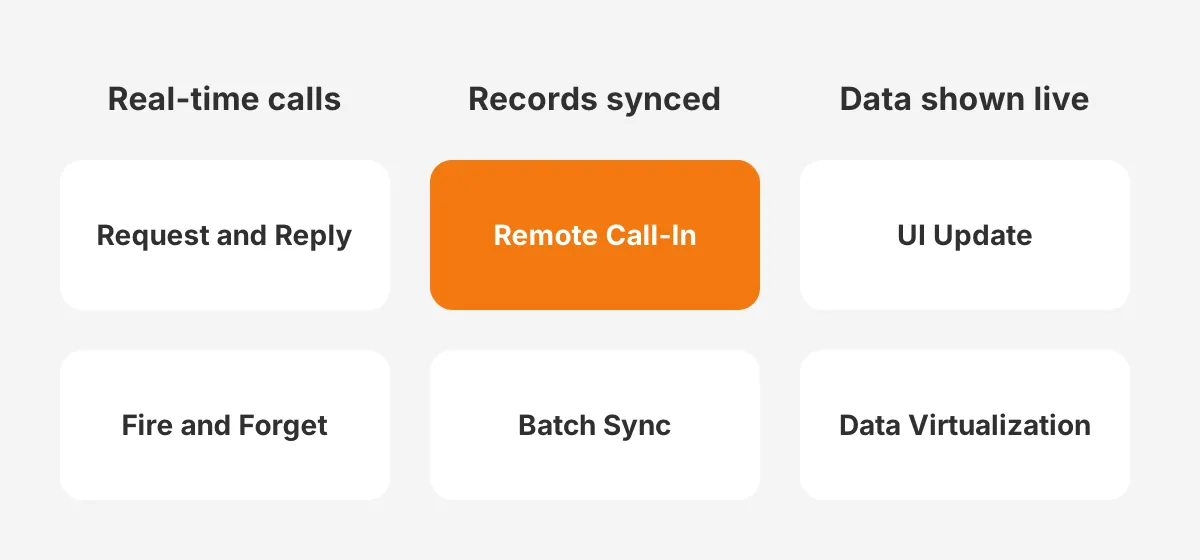
Salesforce documents six standard integration patterns, and every connection fits one of them. The Salesforce Architects integration patterns guide names them and explains when each applies. Picking the pattern first decides the tools, the limits and the testing plan.
- Remote Process Invocation, Request and Reply: Salesforce calls another system and waits, such as a live credit check.
- Remote Process Invocation, Fire and Forget: Salesforce sends a message and moves on, such as a new order alert.
- Batch Data Synchronization: records move in scheduled batches, such as a nightly ERP product refresh.
- Remote Call-In: another system creates, reads, updates or deletes Salesforce records, such as a form tool creating leads.
- UI Update Based on Data Changes: the Salesforce screen refreshes when data changes, such as a live case queue.
- Data Virtualization: Salesforce shows external data without storing it, such as ERP invoices on an account.
Most marketing integrations within Salesforce are Remote Call-In or Batch Data Synchronization. Form tools, webinar platforms and enrichment services push data in. ERP and finance data usually arrives in batches. Real-time callouts are less common in marketing, but they appear in quoting and lead routing.
Match the pattern to how fresh the data must be. If a rep needs the value within seconds, use a request and reply or an event. If a dashboard updates once a day, a batch is cheaper and easier to support.
Which Tools Connect External Systems to Salesforce?
Salesforce offers six main tools for integrations within Salesforce, and each fits different patterns. The table below compares them for a typical B2B stack. Choose the simplest tool that meets the pattern and the volume.
| Tool | Best for | Typical example | Who builds it |
|---|---|---|---|
| Salesforce AppExchange apps | Common third-party integrations | Webinar platform, enrichment service | Admin |
| Salesforce REST API and SOAP API | Record-level create, read, update | Form tool creating leads | Developer or vendor |
| Salesforce Bulk API 2.0 | Large data loads | Nightly ERP product sync | Developer or middleware |
| Platform Events and Change Data Capture | Event-driven updates | Order status sent to ERP | Developer |
| Flow with External Services | Low-code callouts | Address check on save | Admin |
| MuleSoft Anypoint Platform or other iPaaS | Three or more systems, shared rules | ERP, marketing and billing hub | Integration team |
When Do AppExchange Apps Make Sense?
Salesforce AppExchange apps are the fastest option for tools with an existing connector. Account Engagement, HubSpot, webinar platforms and enrichment services all publish one. The vendor maintains the code, so the team manages settings and field mapping instead of software.
When Do You Need APIs or Middleware?
Direct Salesforce API integration fits when no connector exists or the logic is custom. Middleware, also called iPaaS, fits when three or more systems share the same rules. MuleSoft salesforce integration is the native choice, while Workato, Boomi and Celigo are common alternatives.
Webhooks sit between the two. A webinar tool can post a registration to a small endpoint, which then calls the Salesforce REST API. That keeps the outside tool simple and puts the logic where it can be tested.
For deeper examples, see the Unboxx guides to Salesforce ERP integration and HubSpot Salesforce integration. Both show the same choices on a real data map.
How Do You Secure Integrations Within Salesforce?
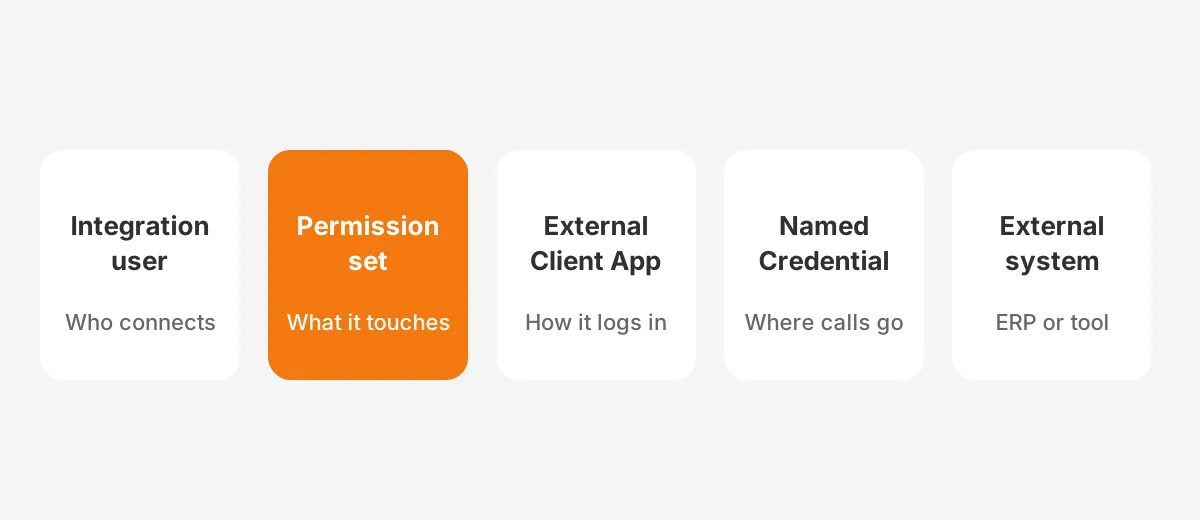
Secure integrations within Salesforce with three controls. Use a dedicated integration user, an app definition for inbound access, and Named Credentials for outbound calls. Together they settle who the connection is, how it logs in, and where it may send data.
Use a Dedicated Integration User
Never run a Salesforce integration as a named employee. When that person leaves, the integration breaks, and every change looks like their work. Create one integration user per system, give it API access only, and grant object access through permission sets.
Permission sets keep access narrow. A webinar tool needs to create leads and campaign members. It does not need to read opportunities or delete accounts. Least privilege limits the damage if a token leaks.
Choose the Right App Definition and OAuth Flow
Inbound systems log in through an app definition in Salesforce and an OAuth flow. Server-to-server jobs normally use the JWT bearer flow or the client credentials flow. The older username and password flow should not be used for new work.
Use Named Credentials for Outbound Calls
Outbound callouts should use Named Credentials. Salesforce documentation describes a named credential as the endpoint URL and its authentication parameters in one definition. External Credentials hold the authentication protocol and link to a permission set or profile.
The split pays off in maintenance. One external credential can serve two or more named credentials. When a password or certificate changes, the admin updates it in one place, not in every flow or Apex class.
What Is the Process for Setting Up an Integration?
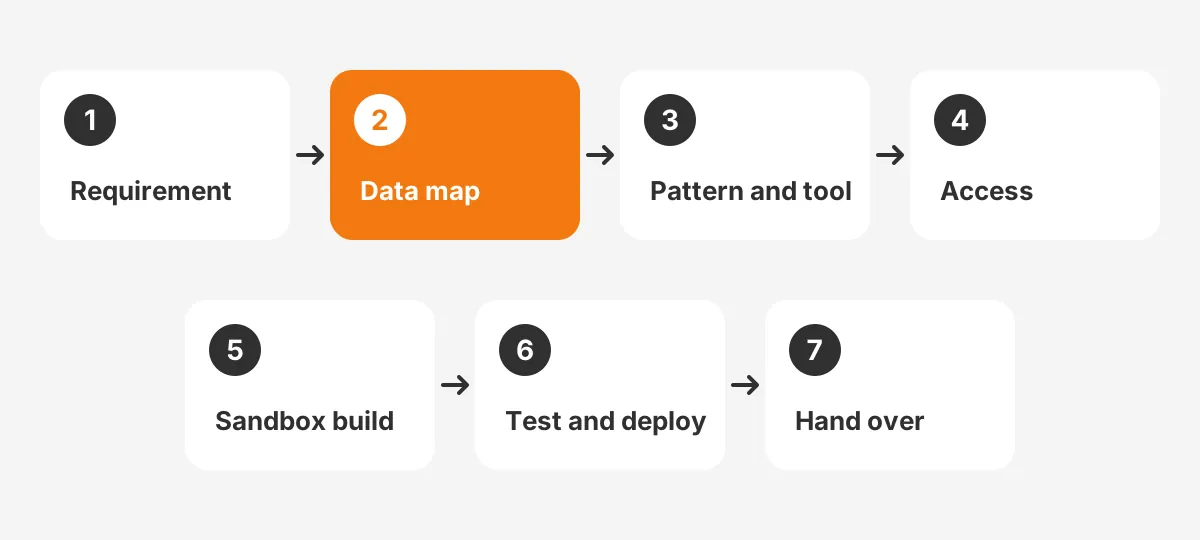
Setting up integrations within Salesforce takes seven steps, from writing the requirement to handing over support. This is the Salesforce integration process most teams follow. The same steps apply to a small form connector and a large ERP sync. Only the depth of each step changes.
- Write the requirement: the business outcome, the systems, the volume and how fresh the data must be.
- Build the data map: every field, its direction, its system of record and its transformation rules.
- Pick the pattern and tool from the six patterns and the tools table.
- Set up access: integration user, permission sets, app definition and Named Credentials.
- Build in a sandbox, with error handling and logging from the first version.
- Test with real data volumes, then deploy through a change set or pipeline.
- Document the integration and assign an owner for monitoring and changes.
Teams rush step one more than any other. A requirement such as "sync webinar data" is too vague to test. A requirement such as "add every registrant to the campaign within 15 minutes" can be tested and monitored.
Step two takes the longest and saves the most time. Field mapping exposes conflicts early. Two systems may both claim to own the lead status, or the ERP may use a different country list.
What Goes Into the Data Map?
A data map is a table with one row per field. Columns cover the source field, the Salesforce field, the direction, the owning system, the format and the rule for conflicts. Keep it in a shared document, and link it from the integration record.
For marketing data, three decisions prevent the most problems. Name the system that creates leads and the one allowed to change lifecycle stage. Then agree how duplicates are matched: by email, domain or an external ID field.
External ID fields are worth setting up early. Marking an ERP customer number as an external ID lets an upsert match records without a lookup. It also makes Salesforce data integration with the ERP far easier to reconcile later.
How Do You Test Integrations Before Go-Live?
Test integrations within Salesforce in a sandbox with realistic volumes, every error path and a rollback plan. A test that sends five clean records proves only that the connection opens. It does not prove the integration will survive a busy Monday.
Salesforce integration testing should cover four cases. First, the normal path with typical records. Second, bad data, such as a missing required field or an invalid picklist value. Third, volume, such as a full month of webinar registrations at once. Fourth, failure, such as the outside system going offline.
Salesforce sandbox testing needs matching settings. A Partial Copy or Full sandbox holds real data shapes, while a Developer sandbox holds metadata only. Named Credentials and app definitions often point to test endpoints, so check them after every refresh.
Integration error handling is part of the build, not an afterthought. Every failed record should land in a log with the reason and a way to retry. A simple custom object for integration errors, with a list view for the owner, is often enough.
Set a pass rule for integrations within Salesforce before testing starts. For example, the team might accept zero lost records, under 1% retries and no duplicate leads. These are example targets, not industry benchmarks, and each team should set its own.
How Do You Monitor and Manage Integrations Within Salesforce?
Monitor integrations within Salesforce with four checks: API usage, error logs, data quality and setup changes. Run them weekly for new connections and monthly once they are stable. Each check has a native place in Setup.
- API usage: Salesforce API limits are set per org and edition. Track API usage in System Overview and the API usage report.
- Error logs: review the integration error object, the middleware dashboard and failed Apex jobs.
- Data quality: compare record counts between systems and check for new duplicates.
- Setup changes: the Setup Audit Trail shows who changed permission sets, app definitions or credentials.
Event Monitoring, part of Salesforce Shield, adds detailed logs of API calls and logins for integrations within Salesforce. It costs extra, but it helps regulated teams prove which system touched which record.
To manage Salesforce integrations over time, keep an integration register. It is the single list of integrations within Salesforce that the whole team can check. It lists each connection, its owner, its pattern, its integration user and its renewal dates. Certificate expiry dates belong there too.
Certificates will need more attention soon. The Spring '26 architect highlights state that certificate lifetimes are limited to 200 days from March 2026. They fall to 100 days in 2027, so renewals will come round more often.
A register also helps with integration governance. When a new tool is proposed, the owner can see what already connects to Salesforce. Duplicate connectors and overlapping field updates are found before they cause damage.
Old connections need retiring, too. A connector for a tool the team cancelled last year may still hold an active token. Its integration user may still have write access to leads and accounts.
Unused integration users, stale connectors and forgotten flows add risk and technical debt. The Unboxx guide to Salesforce technical debt covers how to score and remove them.
What Changed for Connected Apps in Spring '26?
From the Spring '26 release, creating new Connected Apps is restricted by default. The block covers both the Setup screens and the Metadata API. Installs through a package are the exception, and re-enabling creation needs a request to Salesforce Support.
Salesforce now points new inbound integrations to External Client Apps. These apps support modern OAuth flows only and drop the legacy username and password flow. They are local and secure by default, so they do not exist in a target org until someone installs them.
Existing Connected Apps keep working. The practical rule for integrations within Salesforce is simple. Build new connections as External Client Apps, and plan to move the old ones during normal maintenance.
The same release disabled the SOAP login() call by default in new orgs. Teams with older middleware should check whether their tools log in that way. A quick inventory now avoids a failed sync after the next org refresh.
Who Should Own Integrations in a Marketing Team?
Marketing operations should own the business side of marketing integrations within Salesforce. A Salesforce admin or developer owns the technical side. Splitting ownership this way keeps decisions with the people who understand the data. It also keeps security with the people who manage Salesforce.
The marketing operations owner decides what data moves and why. They maintain the data map, approve field changes and watch lead and campaign data quality. They also judge whether a new tool joins the marketing technology stack at all.
The technical owner builds and secures the connection. They manage integration users, permission sets, credentials and deployments. The CRM administration guide explains how this role fits a wider admin cadence.
At a B2B manufacturer, a third owner often joins: the ERP or finance lead. Customer data from the ERP, such as accounts, products and order history, feeds segmentation and account scoring. That makes ERP integration a shared project between marketing, sales and finance.
A RACI chart settles disputes quickly. List all integrations within Salesforce, then mark who is responsible, accountable, consulted and informed. Review it whenever a team member changes role.
Skipping this work produces data silos. The MuleSoft report found that 90% of IT leaders say silos create business challenges. Clear ownership costs little by comparison.
What Does a Webinar Integration Example Look Like?
Webinar data shows how integrations within Salesforce work for a marketing team. The goal is to turn each registration and attendance record into a lead or contact on the right campaign. The figures below are assumed for illustration, not benchmarks.
Assume a manufacturer runs four webinars a month with 300 registrants each. That is 1,200 registrations and roughly 600 attendees a month. The webinar tool has an AppExchange connector, so the pattern is Remote Call-In through a vendor app.
- Requirement: every registrant becomes a campaign member within 15 minutes, with attendance updated after the event.
- Data map: email, name, company, country, consent and attendance status, with Salesforce as the system of record for lead status.
- Access: one integration user with a permission set for leads, contacts, campaigns and campaign members only.
- Matching: the connector matches on email first, so existing contacts are not duplicated as new leads.
- Testing: a sandbox run with a full month of registrations, plus records with missing consent and invalid countries.
- Monitoring: a weekly check of failed syncs and a monthly count comparison between the two systems.
The data map is where this example usually goes wrong. The webinar tool may send a free-text country, while Salesforce uses a state and country picklist. A transformation rule in the connector settings fixes it before go-live.
Consent is the other trap. If the webinar form collects marketing consent, the integration must write it to the field marketing automation reads. Otherwise, sales may email people who never agreed to it.
Once this one runs cleanly, the same template applies to the event platform, the enrichment service and the website forms. Repeating one pattern is how integrations within Salesforce stay consistent as the stack grows.
Frequently Asked Questions
What is Salesforce integration?
Salesforce integration is the automated exchange of data or actions between Salesforce and another system. It replaces manual exports and re-typing. Web forms creating leads and ERP systems sending order history are common examples. Marketing automation tools syncing campaign responses are another.
How to set up Salesforce integration without a developer?
Start with an AppExchange connector for the tool, if one exists. An admin can install it, create an integration user, assign permission sets and map fields. For simple callouts, Flow with External Services works without code. Custom logic or high volumes still need a developer.
What are Salesforce API limits?
Salesforce API limits cap the number of API requests an org can make in a rolling 24-hour period. The allocation depends on the edition and the number of licenses. Bulk API 2.0 has separate limits. Admins can check current usage in System Overview inside Setup.
Does every team need MuleSoft for Salesforce integrations?
No, most small and mid-sized teams do not need MuleSoft. AppExchange connectors and direct API connections cover common needs. MuleSoft or another iPaaS pays off when three or more systems share data rules. High volumes and the need for one monitoring view also justify it.
How often should integrations be reviewed?
Review new integrations weekly for the first month, then monthly once they run cleanly. Each review covers API usage, error logs, record counts and setup changes. Run a full review once a year, including owners, permission sets, certificates and whether each integration is still needed.
When Should You Get Help With Integrations Within Salesforce?
Get help when integrations within Salesforce touch the ERP, carry regulated data, or have no clear owner. Those are the cases where a mistake costs the most. Unboxx designs, builds and audits Salesforce connections for B2B teams through its CRM integration services.
A short review can map the current stack, flag risky connections and set a plan for External Client Apps. To talk through your integrations within Salesforce, schedule a consultation with Unboxx.
Let's create something out of this world together.
Have a project in mind? Contact us for expert design and development solutions. Let's discuss how we can help grow your business.
Ready to Unboxx Your Potential?
Build smarter systems. Automate faster. Scale confidently.