
CRM With Legal Software: Integrations That Add Value
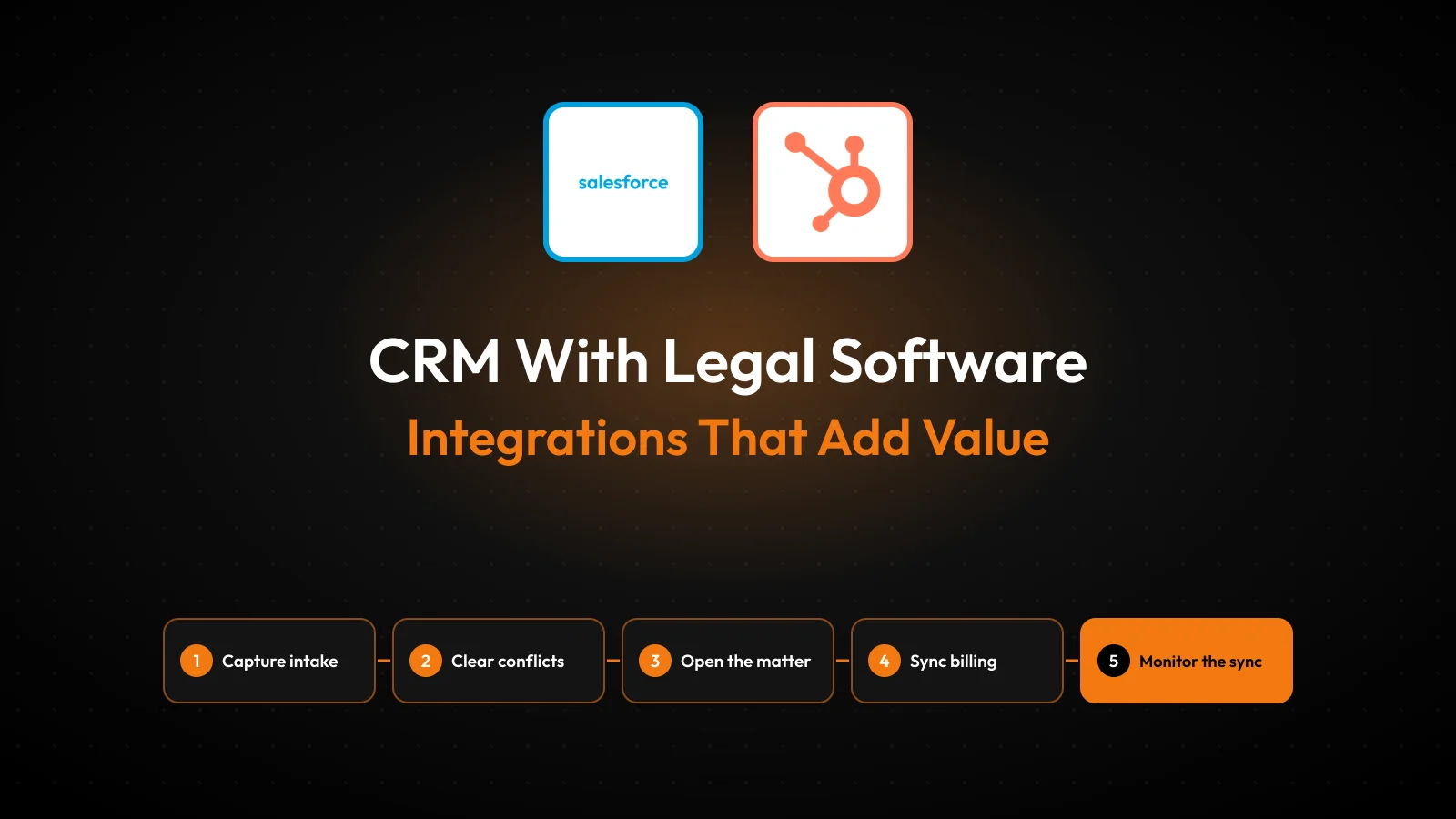
An intake coordinator copies a prospect's name, phone number and matter type from the CRM into practice management. Then the same details go into the conflict search. Every retyped field is a chance to misspell a party name, and the prospect is still waiting for a call.
The ABA Law Practice magazine (2025) cites a Clio secret shopper study. Only 40 percent of law firms answered phone calls.
Connecting your CRM with legal software closes that gap. The CRM captures and nurtures the lead. The practice management system runs the matter.
An integration moves contacts, conflict data, documents and billing details between the two without anyone retyping them. The sections below cover which links to build, what data to sync and which ethics rules shape the design.
Key Takeaways
- A CRM with legal software integration should create the matter from the signed intake record, not from retyping.
- Contacts, matters, conflict checks, documents, billing and email are the six links that return the most value.
- Rule 1.6(c) of the ABA Model Rules makes access control and encryption part of every integration decision.
What Does Connecting a CRM With Legal Software Mean?
Connecting a CRM with legal software means the two systems share records automatically. The CRM holds leads, referral sources, marketing consent and consultation history. The legal practice management system holds matters, deadlines, time entries, trust balances and invoices. The integration decides which record lives where and how changes travel.
Law firms often confuse the two tools. A legal CRM such as Clio Grow, Lawmatics or InterAction tracks relationships before and around a matter. Practice management software such as Clio Manage, MyCase or PracticePanther runs the legal work once the client signs.
The guide to legal CRM software covers that split in more depth. It also explains when to buy a legal CRM and when to configure a general one.
Leave the CRM with legal software unconnected and the firm keeps two versions of every client. Phone numbers drift. Referral data never reaches the partner who reviews origination credit. A connected CRM with legal software setup gives one client record. Each system owns the fields it is best at.
Which Firms Need the Connection Most?
The need rises with intake volume. Personal injury, immigration, family and estate planning firms take in high numbers of new inquiries each week. Business law and litigation firms take fewer clients but track complex relationship networks across referral sources, general counsel and co-counsel.
Linking the CRM with legal software helps both groups in different ways. High-volume firms answer inquiries sooner. Relationship-driven firms finally see who refers work and which of those relationships produce fees.
Which Legal Software Should Your CRM Connect To?
Most firms should connect the CRM to six categories of legal software. Each one removes a specific manual step.
| Legal software category | Example products | Data that moves | Manual step removed |
|---|---|---|---|
| Practice management | Clio Manage, MyCase, PracticePanther | Contacts, matters, practice area, responsible attorney | Retyping intake into a new matter |
| Conflict checking | Built-in conflict search, Intapp Conflicts | Party names, related entities, adverse parties | Searching two systems by hand |
| Document management | NetDocuments, iManage, Clio documents | Engagement letters, intake forms, signed agreements | Saving files to the right matter folder |
| E-signature | DocuSign, Clio e-signatures | Signature status, signed date | Checking whether the client has signed |
| Billing and accounting | QuickBooks, LawPay, CosmoLex | Retainer amount, payment status, invoice totals | Matching payments to matters |
| Email and calendar | Microsoft Outlook, Gmail | Emails, meetings, consultation bookings | Logging client contact by hand |
Start with practice management. It is the link every other one depends on, because the matter record is where documents, time and invoices attach. Conflict checking comes second for any firm with adverse-party risk.
Billing links deserve more attention than they usually get. A look at accounting software integrations shows which invoice and payment fields usually sync. Other fields should stay in the accounting ledger.
How Does Email Integration Fit In?
Attorneys tend to notice the email link first, because that is where client contact happens. An Outlook or Gmail add-in can log a message to the right contact and matter in one click. The CRM sees the relationship history, while practice management keeps the matter correspondence.
Decide where each email lands. Prospect emails belong in the CRM. Emails about an open matter belong in practice management. Filing by matter number keeps the CRM with legal software email split clean in both systems.
Why Integrate a CRM With Legal Software?
Firms integrate a CRM with legal software to respond faster, convert more inquiries and see where fees come from. Response time comes first. The same ABA Law Practice article cites the MIT Lead Response Management Study on it.
That study found the odds of contacting a lead drop 100 times when the call waits 30 minutes. The comparison is a call within 5 minutes. An integration that alerts the intake team in seconds protects those first minutes.
Conversion improves too. The Clio 2025 Legal Trends for Solo and Small Law Firms report tracked four tools. They were online intake forms, e-signatures, online schedulers and text messaging.
Solo firms using them saw 53 percent higher revenue. Small firms using the same tools saw 28 percent higher revenue. Clio reports these as correlations, so they do not prove the tools caused the gain.
Reporting is where partners feel the difference.
Clio's 2025 figures show 59 percent of solo and small firms name referrals as their top lead source. Without a CRM with legal software connection, the referral source sits in the CRM while the fee sits in billing. The firm cannot see which referrers produce paying matters.
What Does the Firm Lose Without It?
Without the link, staff copy the same client details two or three times. Each copy adds a chance of a typo in a name, which can hide a conflict. Partners also lose time reconciling origination reports built from spreadsheets.
What Does a Worked Example Show?
Take an example firm with assumed figures: 120 web inquiries a month and 6 minutes of retyping per new matter. If 30 inquiries become matters, retyping costs 3 hours a month. Conflict searches run twice, once in each system, and add another 2 hours.
A CRM with legal software integration removes both steps, but the hours matter less than the speed. Every inquiry gets an alert within seconds, instead of waiting for the next morning's review. These are illustrative numbers, so replace them with your own intake counts.
How Does Intake Data Flow Into Practice Management?
Intake data should flow in one direction at first: from the CRM into practice management, triggered by a signed engagement. The CRM owns the record until the client signs. After signing, the practice management system owns the matter and the CRM keeps a read-only summary.
A typical flow has five stages, each with its own owner and trigger.
- Capture: a web form, call or referral creates a lead in the CRM with source and practice area.
- Screen: the intake team runs a conflict search on the prospect and adverse parties.
- Consult: the CRM books the consultation and logs notes against the lead.
- Sign: the engagement letter goes out by e-signature and the signed date returns to the CRM.
- Open: the integration creates the contact and matter in practice management and links the signed file.

Tie the matter creation to the signature, not to the consultation. Creating matters at consultation fills the practice management system with prospects who never hire the firm. Reports and conflict searches then fill with noise.
The CRM for law firms page shows how Unboxx sets up this intake path for firms on Salesforce and HubSpot.
Which Data Should Sync, and in Which Direction?
Sync only the fields each system needs, and give every field one owner. Two-way sync on every field creates loops, where each system overwrites the other. An ownership map, agreed before any build work starts, prevents that.
The CRM should own lead source, referral partner, marketing consent and consultation notes. Practice management should own matter number, matter status, responsible attorney, deadlines and trust balances. Contact details are the one shared area, so pick a single system of record for them.
Custom fields need the same rule. Practice management platforms let firms add fields such as case type, court or opposing counsel. Map each custom field by its system ID, not its label. A renamed field then cannot break the CRM with legal software sync.

| Field | Owner | Direction | Sync trigger |
|---|---|---|---|
| Name, email, phone | CRM until signing, then practice management | CRM to practice management, then back | On matter open, then on change |
| Lead source and referrer | CRM | CRM to practice management (read-only copy) | On matter open |
| Matter number and status | Practice management | Practice management to CRM | On status change |
| Responsible attorney | Practice management | Practice management to CRM | On change |
| Fees billed and collected | Billing system | Billing to CRM (totals only) | Nightly |
| Marketing consent | CRM | Stays in CRM | None |
Notice what does not sync. Privileged case notes, trust ledger detail and time entries stay in practice management. The CRM receives totals and status only. That limits who can see client information, which matters for the ethics rules covered below.
How Do You Connect a CRM With Legal Software?
You connect a CRM with legal software in eight steps, from mapping your current process to monitoring the live sync. Skip the mapping step and the build usually needs rework later.
- Map the current intake process, including every spreadsheet and handoff.
- List the records that move: contacts, matters, documents, invoices and activities.
- Assign one owner to every field, using a table like the one above.
- Choose the integration method: native connector, integration platform or custom API.
- Build the matter-creation trigger on the signed engagement.
- Test with 20 to 30 real but closed matters in a sandbox.
- Train intake staff and attorneys on what now happens automatically.
- Monitor sync errors weekly for the first 90 days.
Write the requirements down before choosing tools. The CRM requirements guide shows how to gather, rank and score them so vendors answer the same questions.
Plan the conflict check carefully at step 5. The integration should pass every party name from the CRM into the conflict search, including adverse parties and related companies. A matter should open only after the search clears.
Pass more than the prospect's name. Include former names, spouses in family matters, parent and subsidiary companies, and opposing counsel. Store the search result and the date on the CRM lead. The file then shows who cleared the conflict and when.
Set one rule for hits. A possible match should pause the CRM with legal software workflow and alert the responsible attorney. The matter opens only after that attorney records a decision in practice management.
How Long Does the Project Take?
A native connector between a legal CRM and practice management can go live in 2 to 4 weeks. A custom integration between Salesforce or HubSpot and practice management usually takes 6 to 12 weeks. These ranges are planning estimates, not benchmarks, and depend on data quality.
Which Integration Method Fits Your Firm?
The right method depends on the systems you run and how much the firm wants to customize. There are three options: a native connector, an integration platform, or a custom build on each vendor's API.
A native connector is the fastest path. Clio Grow and Clio Manage share data by design, and Lawmatics connects with LEAP in the same way. The limit is that you accept the vendor's field mapping.
An integration platform such as Zapier, Make or Microsoft Power Automate sits between the systems. It suits firms that need two or three extra rules, such as routing a lead by practice area. It adds a monthly fee and one more system to monitor.
A custom API integration gives full control. Firms that run Salesforce or HubSpot as the CRM often need it. Those platforms hold custom objects for referral partners and intake stages. The Salesforce for law firms guide describes the objects a legal Salesforce org usually needs.
How Do HubSpot and Salesforce Connect?
HubSpot and Salesforce both connect to legal software through their APIs and through marketplace apps. HubSpot suits firms that want marketing automation and simple intake pipelines. Salesforce suits firms that need custom objects, complex referral tracking and strict permission sets.
Either way, the CRM with legal software link usually runs as a middleware service. It listens for CRM stage changes and calls the practice management API to open matters.
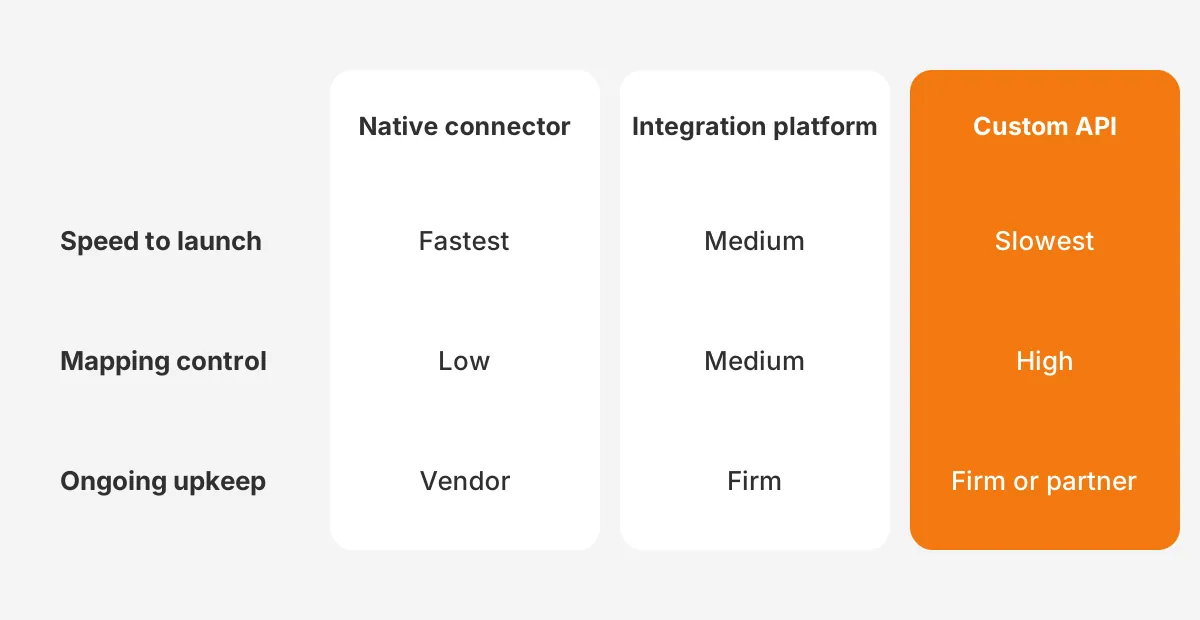
| Method | Best for | Control over mapping | Ongoing upkeep |
|---|---|---|---|
| Native connector | Firms using one vendor's CRM and practice management | Low | Vendor maintains it |
| Integration platform | Small firms needing simple custom rules | Medium | Firm maintains workflows |
| Custom API | Firms on Salesforce, HubSpot or Dynamics 365 | High | Firm or partner maintains code |
Some CRM with legal software setups need rules a connector cannot hold. For those, Unboxx builds the link through its CRM integration services.
How Do Webhooks and APIs Keep Systems Synced?
Webhooks push changes the moment they happen. The CRM then does not have to keep asking the legal software for updates. The Clio developer documentation (2026) shows how a typical legal platform handles this.
Clio Manage sends webhooks for matters, contacts, bills, calendar entries, communications, tasks, documents and activities. Each one fires on created, updated or deleted events. Matters also fire matter_opened, matter_pended and matter_closed events, which suit a CRM status update.
Three technical details shape a reliable build. Clio accepts only https endpoints. It signs each payload with an HMAC-SHA256 signature in the X-Hook-Signature header, which the CRM side should verify. Webhooks expire after 3 days by default and 31 days at most, so the integration must renew them.
The Clio developer FAQ (2026) adds two more points. The API uses cursor pagination, so a full contact export follows the next-page link until it ends. Clio Manage access tokens last 30 days, so the integration needs an automatic refresh.
Other platforms differ in detail but follow the same pattern. Plan for expiry, signature checks and token refresh in any CRM with legal software project, whichever vendor you choose.
Log every webhook delivery and every API error in one place. A weekly review of that log shows whether the CRM with legal software connection is keeping both systems in step.
What Ethics and Security Rules Apply?
Two ABA Model Rules apply directly to a CRM with legal software integration. They are Rule 1.1 on competence and Rule 1.6 on confidentiality. State bar rules are modeled on them.
Comment 8 to Rule 1.1 asks lawyers to understand "the benefits and risks associated with relevant technology."
The ABA Construction Lawyer (2024) reports that 40 states have adopted a version of that duty.
Rule 1.6(c) requires reasonable efforts to prevent unauthorized access to client information. ABA Formal Opinion 477R applies that standard to information sent over the internet. For an integration, reasonable efforts usually include encryption in transit, role-based access and an audit log of every sync.
Apply three practical controls. Limit the CRM to the fields marketing and intake need. Restrict integration user accounts to the objects they sync. Review the vendor's security documentation before connecting any system that holds privileged material.
Document these controls in writing. Keep a short CRM with legal software security note that lists each synced field and who can see it. It helps answer client security questionnaires.
This section is general information, not legal advice. Check your state bar's rules and ethics opinions before you connect systems that hold client data.
What Mistakes Break CRM and Legal Software Integrations?
Five mistakes cause most failed CRM with legal software projects. All five can be caught at the planning stage.
- Two-way sync on every field, which creates overwrite loops.
- Creating matters at consultation instead of at signing.
- Skipping duplicate cleanup before the first sync.
- Letting webhooks or tokens expire with no alert.
- Syncing privileged notes into a CRM that marketing staff can open.
Duplicate cleanup deserves extra time. A CRM often holds the same person as a lead, a referral contact and a newsletter subscriber. Merge those records first, or the CRM with legal software integration will copy every duplicate into practice management.
Expiry alerts are the cheapest fix on the list. A daily check confirms webhooks are enabled and tokens are valid. It prevents silent failures that surface weeks later as missing matters.
Frequently Asked Questions
Can a general CRM replace legal practice management software?
No, a general CRM cannot replace practice management for most firms. Platforms such as Salesforce and HubSpot handle leads and relationships well. They lack trust accounting, court deadline calendaring and matter billing. Firms connect them to dedicated legal software instead of replacing it.
Which practice management systems offer an open API?
Clio documents its API publicly, including webhooks for matters and contacts. MyCase and PracticePanther also offer integration options for outside systems and partner apps. Before you plan a sync, check each vendor's developer pages for rate limits, authentication rules and exposed objects.
Do small law firms need a separate legal CRM?
Small firms with steady referral work can often start with the intake tools inside practice management. A separate legal CRM pays off when the firm runs marketing campaigns or tracks dozens of referral partners. High inquiry volume that needs automated follow-up is another sign.
How much does a legal CRM integration cost?
Cost depends on the method. A native connector is often included in the subscription. An integration platform adds a monthly fee. A custom API build for Salesforce or HubSpot is a project cost. Scope it against the hours of manual entry it removes.
Who should own the integration after launch?
A named administrator should own the integration after launch, supported by the practice manager. That person monitors sync errors, renews credentials and approves field changes. Without a clear owner, small mapping errors build up until reports and conflict searches stop matching reality.
Ready to Connect Your CRM With Legal Software?
A firm that connects its CRM with legal software answers inquiries faster and opens matters from signed records. It also sees which referrals produce fees. Start with the practice management link, assign one owner to every field and build the conflict check into matter creation.
Unboxx designs and builds these integrations on Salesforce, HubSpot and Dynamics 365 for law firms of every size. Schedule a consultation to map your intake process and plan the right CRM with legal software connection.
Let's create something out of this world together.
Have a project in mind? Contact us for expert design and development solutions. Let's discuss how we can help grow your business.
Ready to Unboxx Your Potential?
Build smarter systems. Automate faster. Scale confidently.